หน้าเว็บ

Thursday, February 4, 2016

Free IP Camera App,Wifi Camera App for Android and iOS

Free IP Camera App

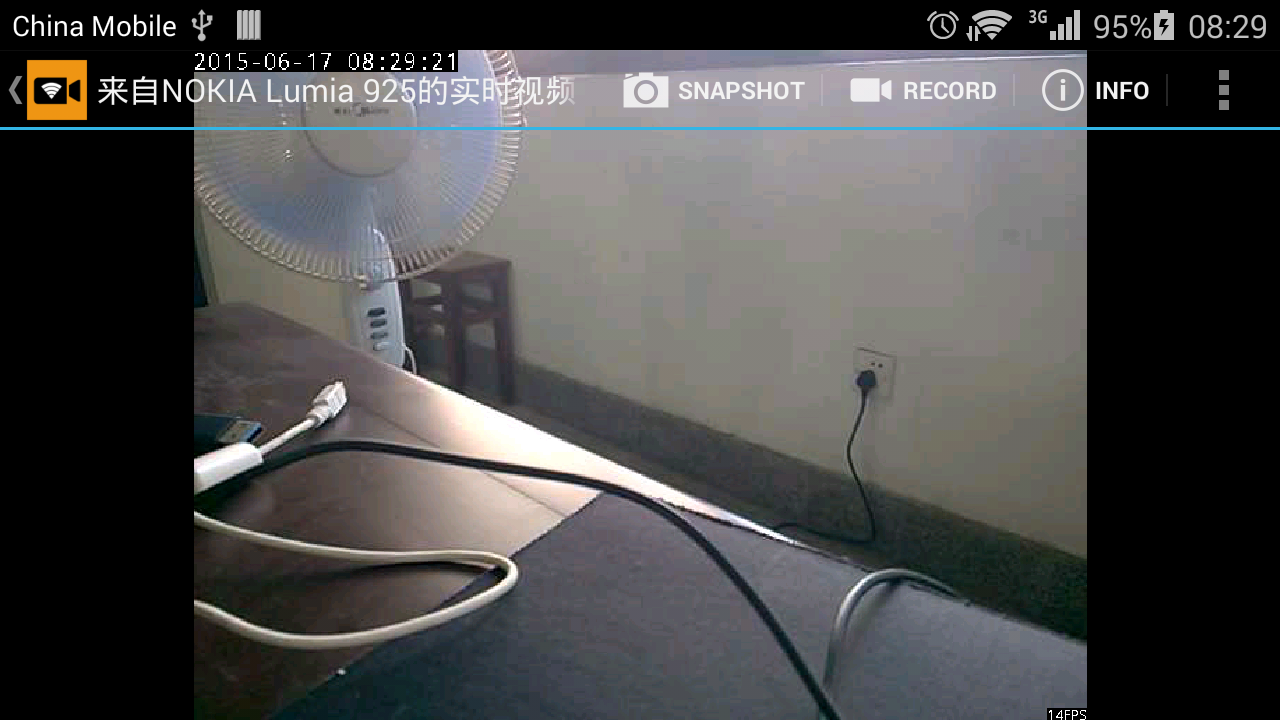
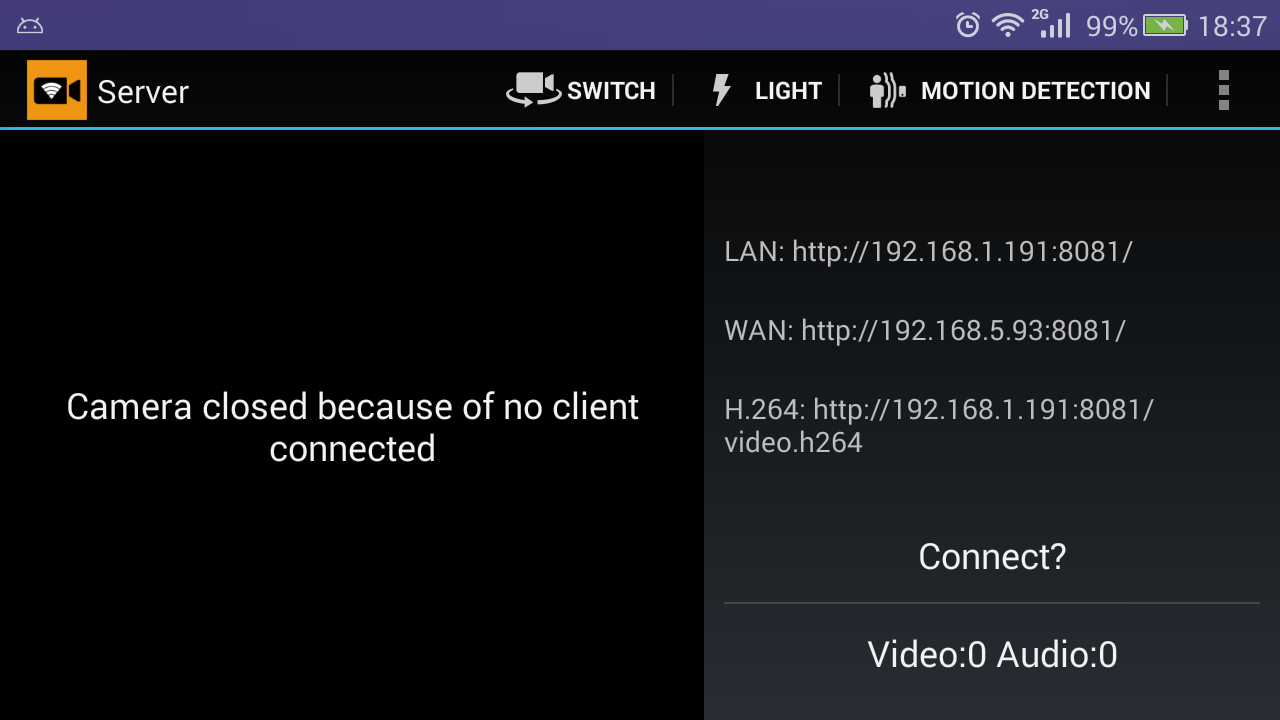
App ที่ทำโทรศัพท์ที่เปิด wifi ให้กลายเป็นกล้อง แล้วสามารถใช้โทรศัพท์หรือคอมพิวเตอร์ที่ต่อ wifi เดียวกัน เปิดลิ้งค์ดูวิดีโอจากกล้องโทรศัพท์ ผ่านเว็บบราวเซอร์ได้ เหมาะสำหรับเอาใว้มอร์นิเตอร์ลูกน้อยที่นอนหลับอยู่ในห้อง อิอิ


Android
https://play.google.com/store/apps/details?id=com.shenyaocn.android.WebCam&hl=th

อีกอัน
https://play.google.com/store/apps/details?id=com.pas.webcam&hl=th

iOS
https://itunes.apple.com/us/app/free-ip-camera-turning-your/id1013455241?mt=8

Wednesday, February 3, 2016

แสดงผลข้อมูลที่ได้จากการ Query ด้วย MySQLi

แสดงผลข้อมูลที่ได้จากการ Query ด้วย MySQLi โดยดึงฟิวด์ต่างๆมาแสดงในตารางให้อัตโนมัติ

<?php
$mysqli = new mysqli($dbconfig['db_server'],$dbconfig['db_username'],$dbconfig['db_password'],$dbconfig['db_name']); 
if ($mysqli->connect_errno) {
 die( "Failed to connect to MySQL Vtiger: (" . $mysqli->connect_errno . ") " . $mysqli->connect_error);
} 
$mysqli->set_charset("utf8");

$query = "SELECT * FROM tbl1 ";

$res = $mysqli->query($query);
?>

<table border=0 cellspacing=1 cellpadding=3 width="100%" class="lvt small">
 <tr>
  <td class="lvtCol">#</td>
 <?php while ($f = $res->fetch_field()) { ?>
  <td class="lvtCol"><strong><?php echo $f->table.".".$f->name; ?></strong></td>
 <?php } ?>
 </tr>
<?php $c=0; while($row = $res->fetch_array(MYSQLI_NUM)){ $c++; ?>
 <tr bgcolor=white onMouseOver="this.className='lvtColDataHover'" onMouseOut="this.className='lvtColData'">
  <td><?php echo $c; ?></td>
  <?php for($i=0; $i < $res->field_count; $i++){ ?>
  <td <?php if(is_numeric($row[$i])){ ?> style="text-align:right;" <?php } ?> nowrap="nowrap">
  <?php 
  echo is_numeric($row[$i]) ? number_format($row[$i]) : $row[$i]; 
  if(is_numeric($row[$i])){
   $sum[$i] = !isset($sum[$i]) ? $row[$i] : $sum[$i]+$row[$i];
  }
  ?>
  </td>
  <?php } ?>
 </tr>

<?php } ?>
 <tr>
 <td></td>
<?php for($i=0; $i < $res->field_count; $i++){ ?>
 <td style=" text-align:right;"><?php if(isset($sum[$i])){ echo '<strong>'.number_format($sum[$i]).'</strong>'; } ?></td>
<?php } ?>
</tr>

</table>

FONT AWESOME ฟ้อนต์ไอคอนฟรี Font icon

FONT AWESOME ฟ้อนต์ไอคอนฟรี Font icon

<!DOCTYPE html>
<html lang="en">
  <head>
    <meta charset="utf-8">
 <title>Icon Font</title>
 <link rel="stylesheet" href="https://maxcdn.bootstrapcdn.com/font-awesome/4.5.0/css/font-awesome.min.css">
 </head>
 <body>

  <i class="fa fa-camera-retro fa-lg"></i> fa-lg
  <i class="fa fa-camera-retro fa-2x"></i> fa-2x
  <i class="fa fa-camera-retro fa-3x"></i> fa-3x
  <i class="fa fa-camera-retro fa-4x"></i> fa-4x
  <i class="fa fa-camera-retro fa-5x"></i> fa-5x
  
  <div class="list-group">
    <a class="list-group-item" href="#"><i class="fa fa-home fa-fw"></i>  Home</a>
    <a class="list-group-item" href="#"><i class="fa fa-book fa-fw"></i>  Library</a>
    <a class="list-group-item" href="#"><i class="fa fa-pencil fa-fw"></i>  Applications</a>
    <a class="list-group-item" href="#"><i class="fa fa-cog fa-fw"></i>  Settings</a>
  </div>
  
  <i class="fa fa-spinner fa-spin"></i>
  <i class="fa fa-circle-o-notch fa-spin"></i>
  <i class="fa fa-refresh fa-spin"></i>
  <i class="fa fa-cog fa-spin"></i>
  <i class="fa fa-spinner fa-pulse"></i>

 </body>
</html>


http://fortawesome.github.io/Font-Awesome/get-started/

Monday, January 18, 2016

ssh clone git ขึ้น Server

ssh clone git ขึ้น Server ล็อกอินเข้า ssh ก่อน แล้วตามด้วย

$ git clone https://bitbucket.com/xxx/project.git html


Tuesday, December 15, 2015

Professional Out of Office Autoresponder Email Messages

Example 1:

[Your Greeting]

Thank you for your email. I’m out of the office and will be back at (Date of Return). During this period I will have limited access to my email.

For immediate assistance please contact me on my cell phone at (your cell phone number).

Best Regards,
[Your Name]


Example 2:

[Your Greeting]

I will be out of the office from (Starting date) until (End date).
If you need immediate assistance please contact (Contact Person).

Kind Regards,
[Your Name]


Example 3:

[Your Greeting]

I will be out of the office starting (Starting Date) through (End Date) returning(Date of Return).

If you need immediate assistance during my absence, please contact (Contacts Name) at (Contacts Email Address). Otherwise I will respond to your emails as soon as possible upon my return.

Warm Regards,
[Your Name]


Example 4:

[Your Greeting]

Thank you for your message. I am currently out of the office, with no email access. I will be returning on (Date of Return).

If you need immediate assistance before then, you may reach me at my mobile – (Mobile Number).

Kind Regards,
[Your Name]


Example 5:

[Your Greeting]


I will be out of the office this week. If you need immediate assistance while I’m away, please email (Contact Email Address).

Best,
[Your Name]


Example 6:

[Your Greeting]

I will be away from (Date) until (Return Date). For urgent matters, you can contact (Contact Person).

Best Regards,
[Your Name]


Example 7:

[Your Greeting]

Thank you for your email. Your message is important  to (Us/Me) and (I/We) will respond as soon as possible.

Thank You!
[Your Name]


Credit : http://small-bizsense.com/professional-out-of-office-autoresponder-email-messages/
Friday, December 11, 2015

อัพไฟล์จาก git ขึ้น FTP ด้วย git-ftp

อัพไฟล์จาก git ขึ้น FTP ด้วย git-ftp สำหรับ Hosting ที่ไม่มี SSH or git support

https://github.com/git-ftp/git-ftp

หากเอาขึ้น FTP ครั้งแรกให้ใช้

$ git ftp init -u  -P ftp://host.example.com/public_html

ครั้งต่อๆไปก็ใช้
$ git ftp push -u  -P ftp://host.example.com/public_html

ตัวอย่าง

Monday, November 9, 2015

บทความเกี่ยวกับ Git

ลิ้งค์บทความเกี่ยวกับ Git

https://www.atlassian.com/git/
https://gist.github.com/norsez/3016877
http://www.select2web.com/git
https://git-scm.com/book/th/v1
https://confluence.atlassian.com/bitbucketserver/bitbucket-server-documentation-home-776639749.html
http://devahoy.com/2015/08/introduction-to-git-and-github/